Extending the spec (metadata.json + bilingual content)
The skill format (the spec developed by Anthropic, accepted by Claude Code, Cursor, Windsurf, and Claude Desktop) is intentionally minimal: SKILL.md with three frontmatter fields, plus the optional references/ and scripts/ subfolders. That is enough for a personal skill or a skill you share by zipping a folder and sending it to a colleague. But if you want to put your skill in a catalog, support multiple languages, or expose extra metadata to consumers, you need to extend the spec.
This chapter shows ONE common extension pattern: the metadata.json + SKILL_HE.md companion files used by the public skills-il catalog. Other catalogs do this differently; the lesson is the pattern, not the specific keys. If your skill is purely personal, you can skip this chapter entirely.
Why metadata.json instead of nested YAML
Claude Desktop's strict YAML parser rejected the nested metadata: key that skills-il originally used inside the SKILL.md frontmatter, refusing to load the skill at all. The fix was to pull everything skills-il-specific into a separate metadata.json file alongside SKILL.md. Now Claude Desktop (which reads SKILL.md frontmatter only) loads cleanly, and the skills-il catalog pipeline (which reads metadata.json) gets the bilingual + cataloging data it needs. The frontmatter stays minimal: name, description, license, and that is it.
metadata.json fields
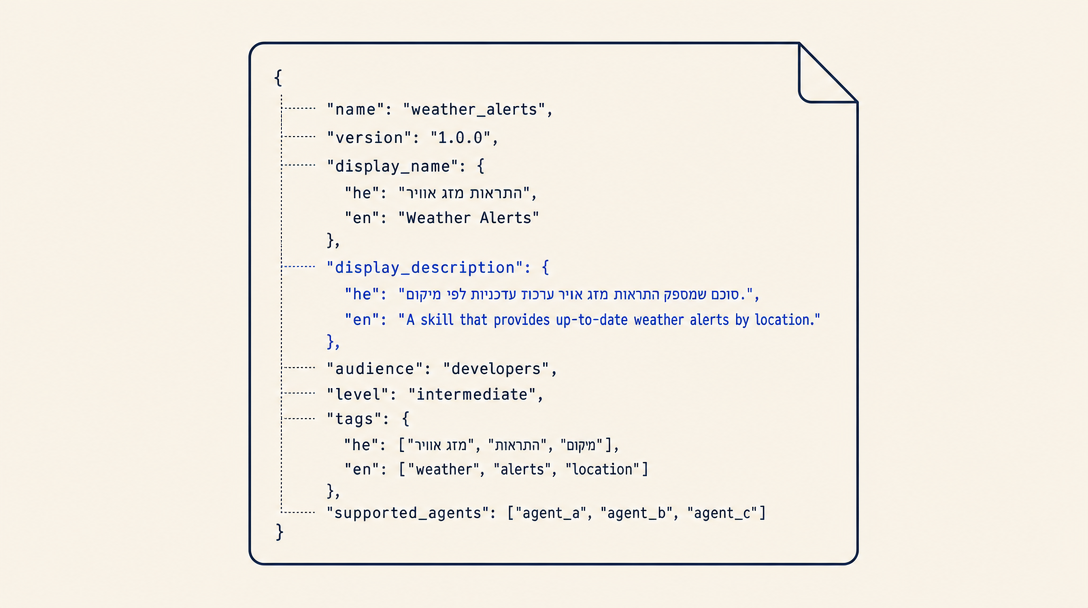
{
  "name": "israeli-id-validator",
  "version": "1.2.0",
  "license": "MIT",
  "display_name": {
    "he": "מאמת תעודת זהות",
    "en": "Israeli ID Validator"
  },
  "display_description": {
    "he": "אמתו תעודת זהות ישראלית בעזרת אלגוריתם ספרת הביקורת. שמיש לטפסים, נתוני בדיקה, וזיהוי תעודות לא תקינות לפני שליחה.",
    "en": "Validate Israeli national ID numbers using the check-digit algorithm. Useful for forms, test data, and catching bad IDs before submission."
  },
  "audience": "developers",
  "level": "beginner",
  "tags": {
    "he": ["תעודת זהות", "אימות", "ישראל"],
    "en": ["israeli-id", "validation", "checksum"]
  },
  "supported_agents": ["claude-code", "cursor", "windsurf", "claude-desktop"]
}
display_nameis the bilingual title shown in the catalog UI. Hebrew first.display_descriptionis the bilingual marketing copy. The Hebrew version must read like native Hebrew, not a translation (Chapter 6 expands).audienceis one of:developers,non-technical,professionals,mixed. Picks the catalog filter and the default writing register.levelis one of:beginner,intermediate,advanced.tagsmust have parallel Hebrew + English arrays. The catalog filters on the English tags; the Hebrew array is for display in the Hebrew UI.supported_agentsmust use canonical slugs:claude-code(notclaude),gemini-cli(notgemini),cursor,windsurf,claude-desktop. Wrong slugs render as empty gray icon circles on skill cards (there is no sync-time validation for this; check your card on dev before pushing).
SKILL_HE.md: the Hebrew companion
Every skills-il skill ships a Hebrew translation called SKILL_HE.md next to SKILL.md. The two files share the same YAML frontmatter shape (with Hebrew description text), the same body structure (chapter headings translated), and the same image references.
Hebrew naturalness is the single biggest quality differentiator between top-installed skills and the long tail. The most common mistake here is to write SKILL.md, run it through an LLM translator, paste the output into SKILL_HE.md, and ship. The result reads as transliterated English: word order is wrong, calques abound ("שכבת האסטרטגיה" for "the strategy layer", "שתי שאלות עוגן" for "two anchor questions"), and gender disagreements appear ("זו לא ייעוץ" should be "זה לא ייעוץ"). Israeli readers detect this instantly.
The fix: after the LLM-generated first draft, have a native Israeli Hebrew speaker (or a dedicated rewriter pass) edit for naturalness. Reference the style of כל זכות plain-language entries, TheMarker explainers, or popular Israeli blogs in your domain.
Cross-referencing other skills in Hebrew prose
When your SKILL_HE.md body needs to reference another skill (e.g., to recommend a related skill the user might also want), use the Hebrew display name followed by the slug in parens, NOT the bare kebab-case slug in backticks. Example:
- Wrong (Hebrew):
התקינו את הסקיל israeli-pension-advisor - Right (Hebrew):
התקינו את הסקיל יועץ פנסיה ישראלי (israeli-pension-advisor)
The right form keeps the Hebrew reading flow intact while preserving the machine-readable slug for the catalog's coupling check. English content uses the bare-backticked-slug convention; only Hebrew needs the display-name-plus-slug treatment.
Study example: hebrew-seo-geo-toolkit
Install hebrew-seo-geo-toolkit (npx skills-il add marketing-growth/hebrew-seo-geo-toolkit) and compare its SKILL.md, SKILL_HE.md, and metadata.json. It is a high-installs (220+) bilingual skill that has been iterated based on user feedback. The Hebrew description reads natural, the tags are properly parallel, and the body covers Israeli-specific SEO and GEO concerns that no generic SEO tool would handle. It is the reference for "what a high-quality bilingual skill looks like."
The most common mistake in Chapter 3: literal English-to-Hebrew translation that reads broken to Israeli readers. The fix: write SKILL_HE.md as if it were the original, not the translation. Hebrew first thinking produces dramatically better skills.
Want to keep reading?
Sign in to unlock the rest of the course and track your progress.