What is a skill, really?
A skill is the simplest way to teach an AI assistant to handle a specific task: a single Markdown file with YAML frontmatter at the top, optionally accompanied by reference files and executable scripts. The agent reads the file on demand when the description matches the user's request. That is the entire model. Everything else (catalog, sync pipeline, trust score, install counts) is infrastructure around that one file.
The four-way comparison: skill vs MCP vs system prompt vs CLI
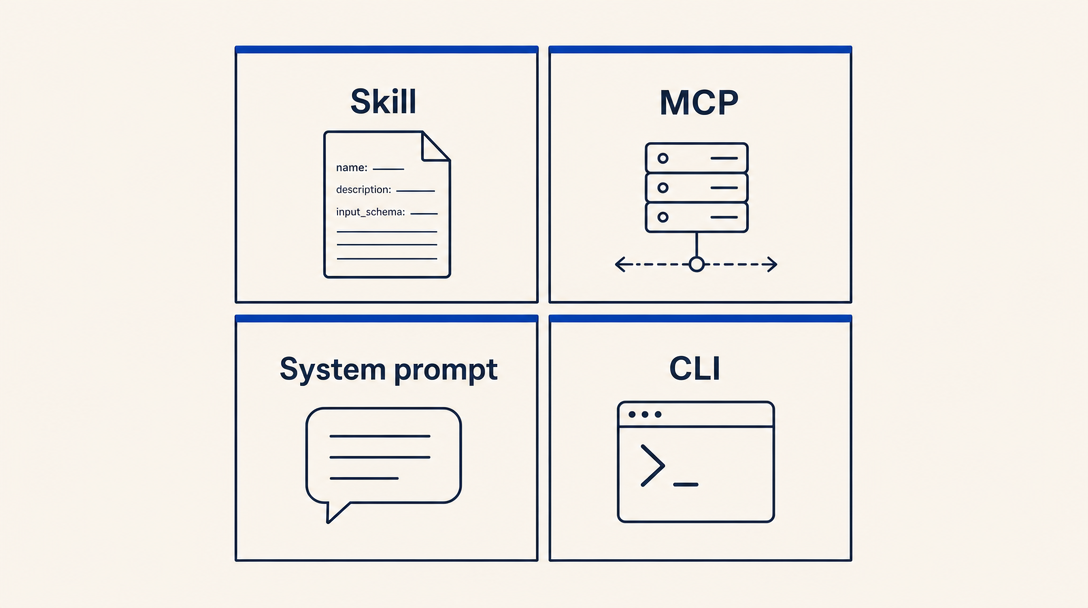
It is easier to understand what a skill IS by understanding what it is NOT.
| Tool | What it is | When you'd write one |
|---|---|---|
| Agent skill | A Markdown file the LLM reads on demand to learn how to handle a specific task type | You want the LLM to know HOW to do something without you having to repeat the instructions in every conversation |
| MCP server | A network service the LLM calls to get live data or perform stateful operations | You need the LLM to read or write external state (a database, an API, a file system) |
| System prompt | Persistent instructions injected at conversation start | You want behavior that applies to ALL of an assistant's interactions, not just task-specific |
| CLI tool | A program a human runs directly | The user knows the exact command they want to run; no natural-language routing needed |
A common confusion: people write a skill when they actually need an MCP. If your "skill" boils down to "the LLM should call this API and return the JSON," that is an MCP server, not a skill. Skills are for HOW to do something (decision rules, structure, judgment); MCPs are for accessing live state.
A second common confusion: people write a skill when they actually need a system prompt. If you want Claude to always speak in your brand voice across every conversation, that is a system prompt or a custom GPT, not a skill. Skills are loaded ON DEMAND when the user's intent matches the skill's description.
The skill format, in one paragraph
Every skill is a folder containing at minimum a SKILL.md file with YAML frontmatter. The frontmatter requires two fields per the Anthropic spec, name (kebab-case slug) and description (one or two sentences the LLM reads to decide whether to load the skill), plus license which is conventional in the skills-il catalog (typically MIT but technically optional in the upstream spec). The body is plain Markdown, loaded into the LLM's context once the skill is invoked. Optionally the folder can contain a references/ subfolder (static files the LLM reads when needed) and a scripts/ subfolder (executable code the agent's shell tool can run). That is the entire spec. Everything in the skills-il catalog is a superset of this.
The skills-il extension: metadata.json and bilingual content
The Anthropic spec is minimal. The skills-il catalog needs more: bilingual display names, audience and level tags, supported-agent lists, install commands. To avoid conflicting with the Anthropic spec, skills-il puts this in a separate file called metadata.json alongside SKILL.md. The Hebrew companion content lives in a parallel file called SKILL_HE.md. Chapter 3 covers both in detail.
When NOT to write a skill (the decision tree)
Before you write a single line of SKILL.md, run this check:
- Does the LLM already do this well without a skill? If you ask Claude "format this Israeli phone number" and it does it correctly on the first try, you do not need a phone-formatter skill. Skills are for cases where the default behavior is wrong, incomplete, or culturally tone-deaf.
- Does the task require live data? If the answer changes hourly (stock prices, government API responses, traffic), the skill is the wrong abstraction. Write an MCP server.
- Is the task purely computational with a single right answer? A simple checksum or format converter might be better as a one-line scripts/ entry called from inside a larger skill, not as its own skill.
- Are you sure the audience needs it? Skills that have under 5 installs after 6 months tend to die in the catalog. Talk to 3 prospective users before writing.
The most common mistake in Chapter 1: writing a skill where an MCP would fit better. Symptom: your skill's body is mostly "call this URL, parse this JSON, return this field." Fix: convert to an MCP server with a single tool, register it in the directory, and your "skill" becomes a one-line MCP invocation.
If your topic survives the decision tree, install the skills-il-skill-creator skill (npx skills-il add developer-tools/skills-il-skill-creator) to scaffold the folder layout, then continue with Chapter 2 to learn what to put in SKILL.md.